



Free Funnel Audit
Convert more customers today!

SEO
10 mins read

SEO
10 mins read
Choosing the right CMS matters more than ever in 2026. Search engines now reward speed, clarity, and strong user experience signals. Your CMS controls how content loads, appears, and gets indexed. That directly affects visibility, rankings, and long-term organic growth.
The details below are the best way to discover which CMS is the best for SEO nowadays. You will get a complete understanding of how these three factors: performance, structure and flexibility, determine the success in the search engines.
You’ll also find evaluated popular platforms based on SEO-focused criteria that we use throughout.
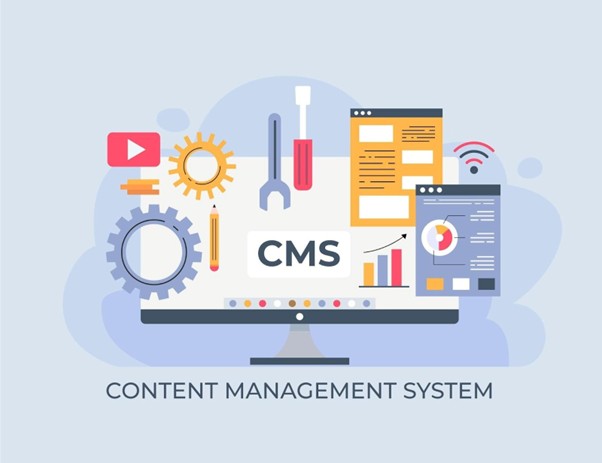
Search engine optimization has evolved dramatically over the past few years. Google now prioritizes user signals and technical stability more than ever. Your content management system plays a central role in meeting expectations. A weak platform can block growth even when you create outstanding content.
The best CMS for SEO supports both search engines and users equally. It helps crawlers understand pages while keeping visitors actively engaged throughout. That balance proves critical for rankings in today’s competitive digital markets.
Key reasons your platform choice matters today:
A future-ready CMS reduces technical limitations as your content library grows and makes ongoing SEO maintenance easier as your site scales.
Search engines depend on proper structure to read websites accurately and efficiently. Your CMS controls how pages connect, update, and communicate with crawlers. Poor systems often create crawl gaps and frustrating indexing delays for owners.
A strong CMS helps by providing:
The best CMS for SEO removes technical friction during the crawling process. It also supports faster mobile delivery and amp seo benefits, helping search engines access and evaluate your pages more smoothly. That allows search engines to focus on evaluating content quality instead.
Search engines actively track how real people interact with your website. Slow or confusing sites lose users within seconds of landing. That sends negative quality signals directly back to search algorithms.
Your CMS affects experience through both layout design and technical performance. A well-structured system naturally supports better user engagement and satisfaction.
Essential experience elements:
The best CMS for SEO improves engagement without requiring extra plugins. Better user experience often leads to stronger ranking stability over time.
Not every content management system prioritizes search engine optimization from the start. Some platforms hide critical features behind expensive paid extensions or upgrades. Others severely limit customization options as your website scales and grows.
The best CMS for SEO includes essential optimization tools by default. These features support sustainable growth without requiring constant technical fixes. They also make monthly SEO maintenance easier by ensuring your site stays optimized as it scales. Below are the core capabilities every modern platform should provide.
On-page optimization remains the foundation of effective search engine visibility today. Your CMS should enable easy editing of critical elements without developer assistance.
Essential controllable elements include:
These controls help align every page with specific search intent perfectly. They also support significantly better click-through rates from search engine results.
Search engines strongly prefer clean and easily readable URL structures. Long or confusing links reduce both trust signals and crawl efficiency.
A strong CMS enables:
The best CMS for SEO prevents common structural mistakes before they happen. That protects your hard-earned rankings during updates and major site migrations.
Page loading speed remains a major ranking factor throughout 2026. Modern users expect pages to load almost instantly on every device. Search engines now enforce that expectation through algorithm updates and penalties.
Your CMS should support:
The best CMS for SEO improves speed without requiring heavy customization. That naturally leads to better Core Web Vitals scores across devices.
Technical SEO extends far beyond just visible content and keywords. It ensures your entire website functions smoothly behind the scenes consistently. Many serious ranking issues actually start with fundamental technical weaknesses.
The best CMS for SEO supports critical technical needs automatically. This approach reduces long-term maintenance headaches and prevents costly errors.
Key technical features every platform needs:
These technical elements help search engines trust your website completely.
Contentstack uses a headless architecture that separates content from how it displays. This gives you complete freedom over page speed and performance optimization.
SEO Strengths:
SEO Challenges:
Best for: Large enterprises with technical teams and complex multi-channel content needs.
Wix offers a beginner-friendly platform with drag-and-drop design and automatic optimization. Recent improvements have made Wix much more SEO-competitive than earlier versions.
SEO Strengths:
SEO Challenges:
Best for: Small businesses, freelancers, and beginners who need quick setup without coding.
Shopify dominates online store platforms with excellent SEO features specifically for products. It is often considered the best ecommerce platform for SEO because it balances ease of use with powerful e-commerce optimization tools effectively.
SEO Strengths:
SEO Challenges:
Best for: Online retailers and businesses selling physical or digital products directly.
Webflow bridges visual design and clean code beautifully for professional websites. It gives designers SEO control without requiring extensive coding knowledge or skills.
SEO Strengths:
SEO Challenges:
Best for: Agencies, designers, and businesses that prioritize visual design with SEO.
A CMS alone cannot solve modern SEO challenges fully. Search intent, behavior, and conversions change very fast today. CausalFunnel works as an AI-powered layer on top of your CMS. It does not replace your system but makes it smarter. The best CMS for SEO performs better when guided by real user data.
SEO Strengths:
SEO Challenges:
Best for:
Businesses, marketers, and SEO teams who want to enhance any CMS without replacing it.
Selecting the right platform requires matching your specific needs with the platform’s capabilities. Use this framework to make an informed decision that serves your goals.
Be honest about your team’s skills and available time for learning. Some platforms require more technical knowledge than others to optimize properly.
Ask yourself:
Match your answers to platform complexity levels for the best long-term results. Making the right choice here also supports your broader SEO roadmap, helping you build a CMS setup that scales smoothly over time.
Different CMS platforms handle different content types and volumes with varying efficiency levels. When deciding, take into account your current needs as well as your growth projections for the next three years.
Content considerations:
High-volume content sites need robust content management and organization capabilities built-in.
CMS costs vary dramatically from free open-source to thousands monthly for enterprise. Calculate total cost, including hosting, plugins, themes, and maintenance over time.
Budget factors:
Free doesn’t always mean cheaper when you factor in time and opportunity costs.
Choose a CMS that can grow with your business without requiring a platform. Migration is expensive and risky and often causes temporary ranking drops during transitions.
Scalability questions:
Think long-term to avoid costly platform changes when you’re finally gaining traction.
Most platforms offer free trials or demo sites you can test. Run basic performance tests before making a final commitment or investment.
What to test:
A few hours of testing can prevent years of frustration and limitations.
Even the best CMS for SEO can underperform if you make these mistakes. Avoid these common pitfalls that hurt rankings and waste your optimization efforts.
Desktop testing isn’t enough when most of your traffic comes from mobile. Google ranks sites based on mobile experience before considering desktop performance now.
What to do:
Poor mobile experience kills conversions even when you rank well initially.
Each plugin adds code that can slow your site down significantly. Many site owners install plugins without checking if they’re actually necessary first.
What to do:
Fewer, better plugins almost always outperform dozens of mediocre ones combined.
Old, outdated content signals to search engines that your site isn’t maintained. Regular updates show your site is active and providing current information users need.
What to do:
Fresh content often ranks better than brand new pages on different topics.
Many CMS platforms generate URLs automatically with dates, categories, and other unnecessary elements. These hurt both user experience and search engine understanding of content.
What to do:
Simple URLs are easier to remember, share, and rank in search results.
You can’t improve what you don’t measure regularly and consistently. Many site owners publish content and never check if it’s actually working.
What to do:
Analytics reveal opportunities and problems you’d never notice just browsing your site.
A mid-sized B2B software company switched from a legacy CMS to Contentstack. Their results demonstrate how the right platform choice affects organic performance directly.
Before Migration:
After Migration (6 Months):
That’s a 30x increase in organic traffic directly attributed to platform improvements. The company’s marketing director noted faster pages and a better mobile experience. Conversion rates from organic traffic also improved by 43% during this period.
This case shows technical SEO improvements from the right CMS compound over time.
Your CMS choice shapes your organic traffic potential for years to come. The best CMS for SEO balances performance, ease of use, and growth flexibility.
Start by assessing your technical capabilities and budget constraints honestly and thoroughly. Test platforms that match your needs before committing to long-term contracts. Remember that migration is possible but expensive and time-consuming when needed.
The right platform makes SEO easier, not harder, for your entire team. It should help you create optimized content quickly while handling technical requirements. Your CMS should support your growth rather than limiting your potential reach.
Need personalized guidance on selecting the best CMS for your specific situation? Contact our team for a detailed analysis of your requirements and recommendations. We’ll help you maximize organic traffic through the right platform choice and strategy.
WordPress offers strong control with plugins and flexible customization options. Contentstack suits enterprises needing speed and scalability. The best CMS for SEO depends on budget, skills, and long-term growth goals.
Yes, your CMS affects speed, mobile usability, and URL structure directly. Search engines rely on these technical signals when ranking pages. A weak platform can limit even high-quality content performance.
Wix and Squarespace work well for beginners with built-in SEO features. They handle technical tasks automatically without coding knowledge. However, they offer less flexibility than WordPress or headless platforms.
Headless CMS platforms separate content management from presentation layers. This structure enables faster load times and better mobile performance. Contentstack is a popular choice for large, high-traffic websites.
Yes, rankings stay stable with proper migration planning and redirects. Consistent URLs and a clean site structure prevent traffic loss. Many sites see gains after moving to faster platforms.
Most sites notice improvements within three to six months. Speed and technical fixes show faster results initially. Content authority grows steadily with consistent publishing.
Yes, CausalFunnel enhances any CMS with AI-driven SEO and conversion insights. It helps identify keywords, improve EEAT signals, and track real ROI. It works as an optimization layer, not a CMS replacement.
Yes, WordPress remains one of the best CMS for SEO today. Speed and security improvements keep it competitive. Proper hosting and plugin control are still essential.
Local schema markup and fast mobile performance matter most. Location pages and business profile integration improve visibility. These features help nearby customers find you quickly.
Start using our A/B test platform now and unlock the hidden potential of your website traffic. Your success begins with giving users the personalized experiences they want.
Start Your Free Trial

Empowering businesses to optimize their conversion funnels with AI-driven insights and automation. Turn traffic into sales with our advanced attribution platform.
Trusted by Customers


©CausalFunnel Inc. All rights reserved.