Step 1:- Install the app. Follow the instructions here for the installation.
Step 2:- Go to Persona Prediction Section in our Dashboard. The Persona Prediction tab will have a button to enable the persona based nudges as shown below
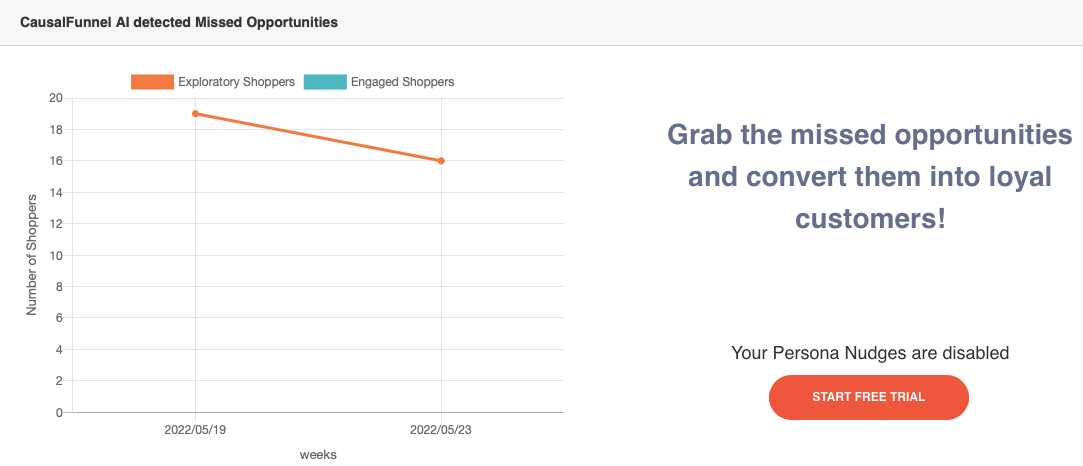
In the top row, Under the “CausalFunnel AI detected Missed Opportunities” as shown in step 2. Click on the “Start Free Trial” Button to Enable Persona. Once it is enabled you will see a success message.
Step 3:- Click on the “Settings” tab in the left hand tab pane. There you will see a Persona Nudge “Customize” button. Click on this Customize button as shown here:
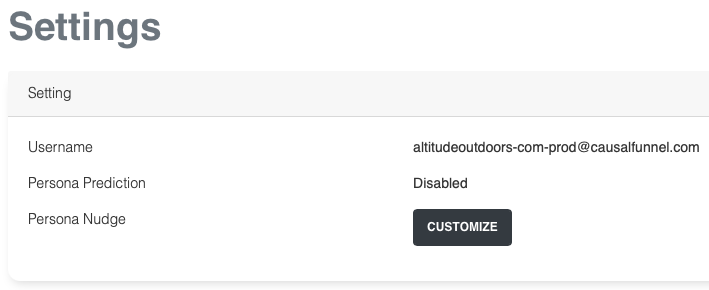
You are automatically redirected to the Nudge Customization Dialog.
Step 4:- Customize the nudge data as per instructions given there on the Dialog box (similar to one show below) or use our default nudge settings. Next click on the “save” button to wrap up customization.
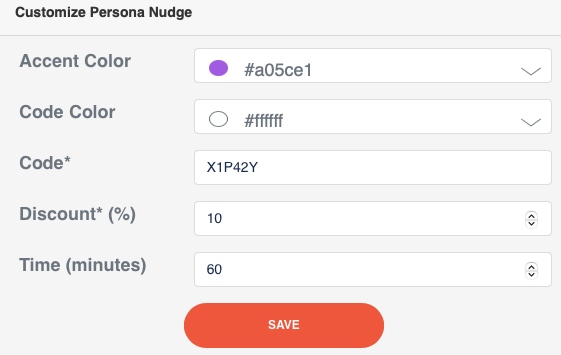
Step 5:- If your store is hosted on Shopify, just relogin to our app to register a discount code with Shopify.
Step 6: Congratulation! You have successfully enabled Persona Nudge. We’ll inform you via email once we deploy it live on your website.

Empowering businesses to optimize their conversion funnels with AI-driven insights and automation. Turn traffic into sales with our advanced attribution platform.
Trusted by Customers


©CausalFunnel Inc. All rights reserved.



