



Free Funnel Audit
Convert more customers today!
SEO
10 mins read

SEO
10 mins read
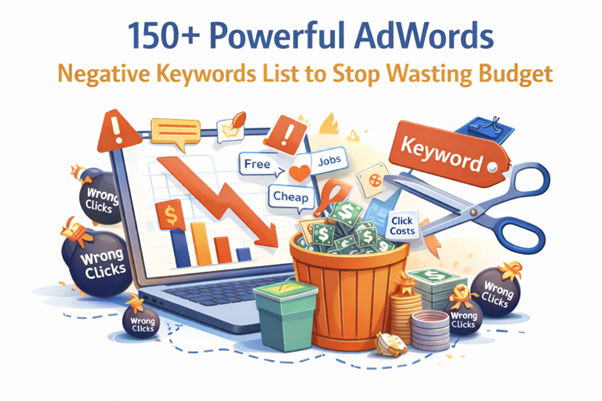
What if half of your Google Ads budget disappears on clicks that never convert? Many advertisers face this problem every day without realizing it. Irrelevant searches slowly drain campaign budgets and reduce real business results.
Ultimately, many advertisers waste large portions of their Google Ads budget every month due to a very simple reason. Their ads appear for searches that never convert into customers.
People click ads for many reasons that have nothing to do with buying. Some users search for jobs instead of services. Others want free tools, tutorials, or simple definitions. Some only research before making a decision later.
Each irrelevant click still costs money. Over time, these clicks slowly drain your campaign budget and reduce return on investment.
This is where negative keywords become extremely valuable. They stop ads from appearing when searches are not relevant to your offer. Without negative keywords, Google Ads campaigns often attract the wrong audience, but with the right exclusions, your ads reach people who actually want to buy.
A strong adwords negative keywords list helps filter unwanted traffic and protect your ad spend. This guide also includes a carefully organized google adwords negative keywords list you can apply immediately.
So, what is this list all about?
An adwords negative keywords list is a collection of search terms you block from triggering your ads. These keywords prevent ads from appearing for irrelevant searches.
In Google Ads, you choose positive keywords that trigger ads. These are the searches you want to target but negative keywords do the opposite. They block searches that do not match your offer.
Consider a simple example.
Suppose you advertise enterprise CRM software for large companies. You want businesses looking for paid CRM solutions.
However, many searches may include terms such as:
These searches rarely convert into paying customers. Someone searching “CRM software jobs” is likely looking for employment, and not planning to buy software.
Adding these words to your negative keyword list blocks these searches completely. In the end, with a well-structured negative keyword list, you can protect your budget, improve ad relevance, and campaign performance.
Many advertisers focus only on adding new keywords. However, controlling irrelevant searches is equally important. Without negative keywords, ads appear for many unrelated queries. This leads to wasted clicks and poor campaign performance.
A well-organized Google AdWords negative keywords list improves campaign targeting. It filters traffic that is unlikely to convert into customers.
Negative keywords also improve several important advertising metrics. These improvements often happen quickly once irrelevant traffic disappears.
Benefits of using negative keywords include:
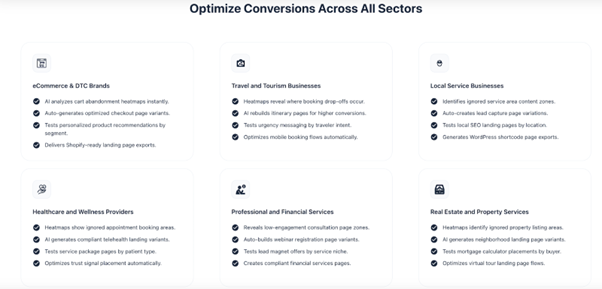
Advertisers who manage negative keywords well often see better campaign efficiency. Modern optimization platforms like CausalFunnel make this process easier. Their AI systems analyze search behavior across campaigns. The platform also identifies patterns that indicate low purchase intent.
Building a strong AdWords negative keywords list requires understanding user search intent. Not every search means someone wants to buy your product. Many searches come from people researching, learning, or looking for free options.
Professional PPC managers organize negative keywords into intent categories. This structure makes it easier to manage large campaigns.
Common negative keyword categories include:
Grouping keywords by intent helps advertisers control traffic more effectively. Many advertisers store these lists inside the Google Ads Shared Library. This allows the same list to apply across multiple campaigns.
Many negative keywords apply to almost every advertising campaign. These words usually signal that the user is not ready to buy. These searches often include people looking for free resources, downloads, or basic information.
Below is a universal AdWords negative keywords list that works across many industries.
Common universal negative keywords include:
These keywords block many low-intent searches that rarely convert.
Many ads attract people looking for jobs rather than services. These clicks rarely convert and waste advertising budgets.
Job seekers often search using employment related words. Blocking these keywords protects your campaign from irrelevant traffic.
Common job-related negative keywords include:
These exclusions are especially useful for B2B, SaaS, and service businesses.
Many searches come from users who only want to learn something. These people are not ready to purchase a product or service. Informational searches often include educational phrases or question-based queries.
Examples of research-focused negative keywords include:
These keywords help filter users who are only gathering information. However, informational searches can still work in content marketing campaigns.
Education-related searches are very common in search engines. Many people search for courses, degrees, and certifications. These searches usually come from students rather than buyers.
Common education-related negative keywords include:
These exclusions help reduce student traffic. However, avoid blocking these terms if you sell education products or certifications.
Some users only search for the lowest price or free products. These searches rarely convert for premium brands. Filtering bargain hunters protects advertising budgets and improves lead quality.
Common bargain-related negative keywords include:
Premium services often benefit from blocking these searches.
Many users prefer solving problems themselves rather than hiring professionals. These searches often include instructions, tutorials, or step-by-step guides.
Common DIY negative keywords include:
These keywords are helpful for home services and professional consulting businesses.
Existing customers often search for support or troubleshooting information. These users are not new leads. Blocking support queries prevents your acquisition campaigns from attracting existing customers.
Common support-related negative keywords include:
These exclusions keep customer support traffic separate from marketing campaigns.
Every industry has unique searches that may not convert into customers. Expanding your negative keyword list improves campaign efficiency over time.
Below are examples for several industries.
Regularly reviewing search term reports helps identify new negative keywords.
Adding negative keywords is only part of the process. Advertisers must also apply them correctly inside their campaigns.
When applied properly, negative keywords prevent ads from showing for irrelevant searches. This protects your advertising budget and improves targeting. Many advertisers add large lists without thinking about search intent.
Strategic use of negative keywords protects conversions while removing irrelevant traffic. The goal is not to block traffic blindly. The goal is to filter the wrong traffic.
A smart strategy starts with understanding different search intent levels.
Start by analyzing your “Search Terms Report” in Google Ads. This report shows the real queries that triggered your ads. Look for patterns that rarely convert into leads or sales.
Common low-intent searches include:
These searches usually bring traffic but not customers.
Some negative keywords should be blocked everywhere. These words signal that the searcher is unlikely to buy.
Examples include:
These should usually be added at the campaign level or in a shared negative keyword list. This ensures every campaign blocks irrelevant searches consistently.
Ad group negatives help control how keywords trigger ads. They prevent keyword overlap between different ad groups.
For example:
An agency may run two ad groups:
Adding PPC as a negative keyword in the SEO ad group prevents overlap. This improves ad relevance and increases click through rates.
Sometimes advertisers accidentally block valuable searches. Always review negative keywords carefully before applying them.
For example, blocking the word free might hide searches like:
These users may still convert. Strategic filtering protects high-intent traffic while removing irrelevant searches.
Negative keyword strategy should evolve with campaign data. New search queries appear as campaigns grow. Advertisers should review search term reports regularly and add new exclusions.
AI optimization platforms like CausalFunnel make this process easier. Their system detects wasteful traffic and recommends new negative keywords automatically.
Over time, this creates cleaner traffic and stronger campaign performance. Strategic filtering always leads to better PPC results.
Adding negative keywords in Google Ads is simple and very important. This step helps block irrelevant searches before they waste your budget.
Google Ads allows advertisers to add negative keywords at different levels. These include campaign level, ad group level, and shared lists. Using shared lists is often the most efficient method. It allows the same negative keywords to apply across multiple campaigns.
Follow these steps to create and apply a negative keyword list.
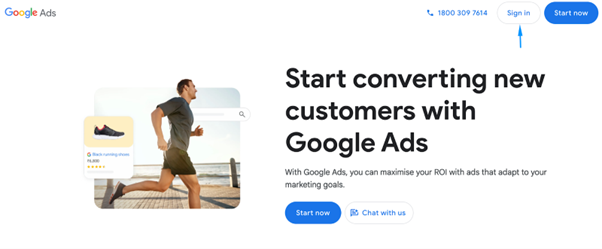
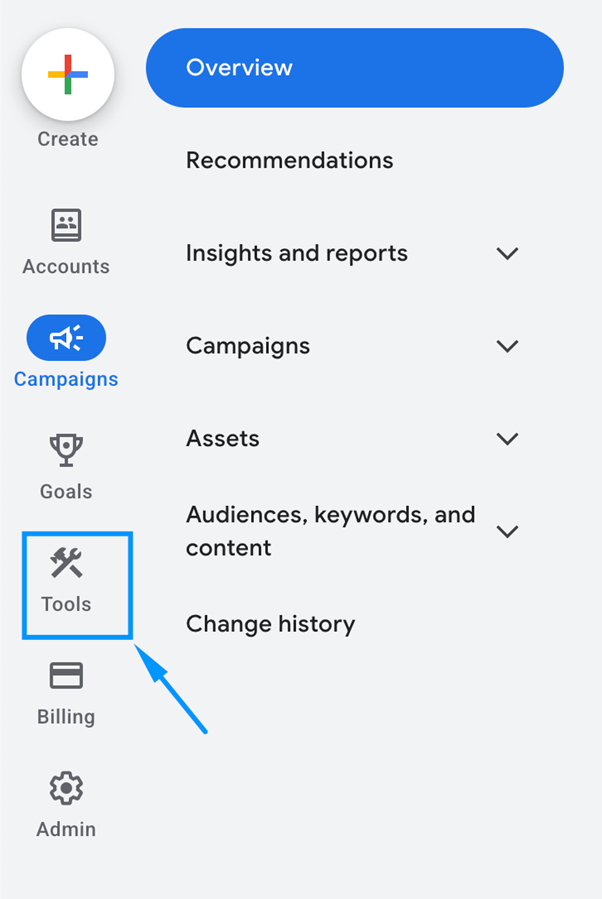
Look at the top navigation bar. Click the “Tools and Settings” icon. This menu contains account-level resources and campaign tools.
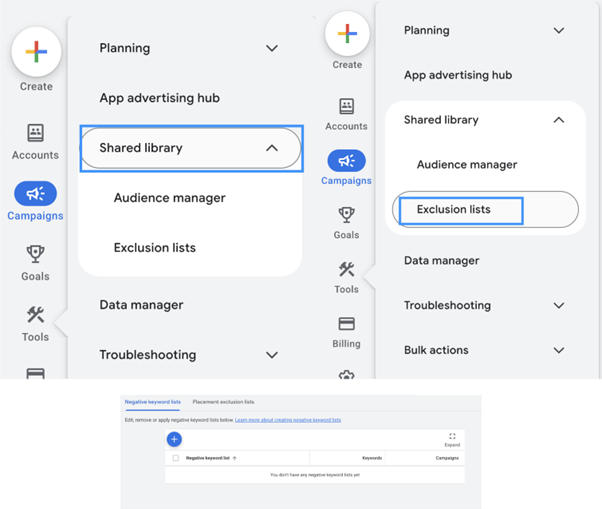
Inside the menu, find the “Shared Library” section and click on “Exclusion List”. You’ll then find “Negative Keyword Lists”. This section stores keyword lists used across multiple campaigns. Shared lists help advertisers manage large accounts more easily.
Click the “plus button” to create a new list. Give the list a clear name. For example:
Clear names make campaign management easier later.
Now add the keywords you want to block. You can paste multiple keywords at once. Each keyword should appear on a separate line.
Example entries might include:
These keywords prevent ads from appearing for irrelevant searches.
After saving the list, apply it to campaigns. Select the campaigns where you want the exclusions to work. Then attach the negative keyword list. Once applied, those keywords will immediately block matching searches.
Google Ads allows different levels of keyword control.
Campaign level negatives:
Ad group level negatives:
Many advertisers combine both methods for better control.
Negative keywords improve campaigns, but mistakes can cause problems. Advertisers sometimes block valuable traffic without realizing it.
Common mistakes include:
The best strategy is to review search term reports regularly. This process helps refine keyword targeting over time.
Managing negative keywords is essential for profitable PPC advertising. Even small keyword improvements can produce major budget savings.
A strong AdWords negative keywords list filters unwanted traffic and improves campaign targeting.
Advertisers should review search term reports frequently and expand their lists over time. This process helps remove irrelevant searches that waste advertising.
Consistent keyword management leads to higher click quality and better conversions. Better keyword filtering also improves return on advertising investment. Over time, refining your negative keyword strategy creates stronger and more efficient PPC campaigns.
A negative keyword is a search term that prevents your ads from appearing. It blocks searches that are not relevant to your product or service.
For example, a paid CRM software company may block words like:
This helps avoid clicks that rarely convert into customers.
There is no fixed number of negative keywords for every campaign. Most campaigns use dozens or even hundreds of negative keywords.
Large accounts often maintain shared lists with 100-300 negative keywords. These lists help filter irrelevant searches across multiple campaigns.
Yes, negative keywords significantly improve PPC campaign performance. They prevent ads from appearing for irrelevant searches.
This leads to several benefits:
Over time, campaigns become more efficient and profitable.
Negative keyword lists should be reviewed regularly. Most PPC experts check search term reports every week. Regular updates help discover new irrelevant search queries. Adding those keywords prevents future wasted clicks. Continuous optimization improves campaign targeting and performance.
Start using our A/B test platform now and unlock the hidden potential of your website traffic. Your success begins with giving users the personalized experiences they want.
Start Your Free Trial

Empowering businesses to optimize their conversion funnels with AI-driven insights and automation. Turn traffic into sales with our advanced attribution platform.
Trusted by Customers


©CausalFunnel Inc. All rights reserved.