



Free Funnel Audit
Convert more customers today!
SEO
10 mins read

SEO
10 mins read
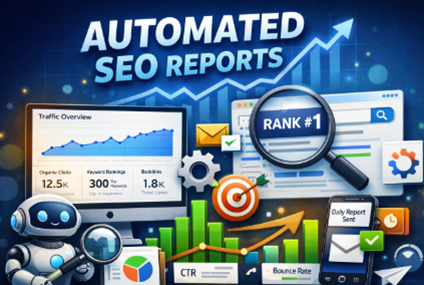
Automated SEO reports are reports that are generated and updated automatically using SEO tools or platforms, without needing manual work every time. These self-operating reports are actually a very useful tool for SEO purposes.
In this blog you’ll find everything about them and how to leverage them to the fullest.
These are machine formed SEO reports. To generate them, software is used. It tracks your site’s SEO performance automatically. So now, you don’t have to visit the search engine and input your keyword to find the ranking. The software does all of that. It also checks traffic and backlinks. Once it has all this data, it brings it over to you. You get a neat report with all relevant information.
Feature | Manual Reports | Automated SEO Reports |
Time to Prepare | Hours or days | Seconds to minutes |
Accuracy | Prone to human errors | Consistently accurate |
Updates | Static snapshot | Real-time or scheduled updates |
Insights | Limited to what you notice | Offers trends, patterns, and alerts |
Imagine you’re running a small e-commerce site in New Jersey. Checking Google Search Console daily for keyword changes can be tiring. Automated reports handle that for you, letting you focus on content and strategy.
Automated SEO reports do more than show numbers. They are your SEO compass. They tell you which pages are performing, which keywords are rising or falling, and where traffic is coming from.
Without automated tracking, businesses often miss subtle drops in traffic. For example, a blog post might slowly slip from page one to page two on Google without you noticing. Automated SEO reports catch it before it becomes a bigger problem.
Focus on metrics that impact decisions.
These metrics are like vital signs for your website. Skip one, and you might miss early warnings.
Creating automated SEO reports is much easier when you have the right tools. Each tool offers different strengths, depending on what you need. Some are perfect for beginners, while others are designed for agencies or SEO specialists. Here’s a detailed look at five popular options.
Best for: Small businesses, bloggers, and anyone starting with SEO.
Pricing: Free.
Standout feature: Seamless integration with Google’s ecosystem. It tracks clicks, impressions, and website performance in search results.
How it works: You can link GA4 with Search Console to see which pages get the most traffic, which queries bring visitors, and where users drop off.
Limitations: It provides very basic backlink data and lacks advanced reporting. It’s also not ideal if you want highly visual dashboards or detailed competitor comparisons.
Pros: Free, reliable, and easy to set up.
Cons: Limited insights beyond traffic and basic engagement.
Best for: Businesses or agencies that need visually appealing reports and multiple data sources.
Pricing: Free, but can require time for setup.
Standout feature: Fully customizable dashboards. You can combine data from Google Search Console, GA4, and even third-party tools into one interactive view.
How it works: You can build charts, tables, and graphs that update automatically. Reports can be shared with your team or clients via a link.
Limitations: Beginners can find it overwhelming. Designing a dashboard takes some time and trial-and-error.
Pros: Visual, flexible, supports multiple sources.
Cons: Setup can be complex for first-time users.
Best for: SEO professionals, agencies, or anyone who wants detailed keyword tracking and backlink analysis.
Pricing: Starts around $99 per month.
Standout feature: Comprehensive backlink and keyword insights. You can see competitors’ strategies, lost backlinks, and ranking changes over time.
How it works: You can create automated reports that track keywords, backlinks, and overall site health. Reports can be scheduled weekly or monthly.
Limitations: It can be expensive for small businesses. Some features are advanced and may not be needed by beginners.
Pros: Deep insights, strong competitor analysis, excellent backlink tools.
Cons: Pricey for small-scale users and can be overwhelming at first.
Best for: Agencies or teams managing multiple clients with a need for centralized reporting.
Pricing: Starts around $79 per month.
Standout feature: All-in-one reporting platform. Data Bloo can pull SEO, paid search, social media, and analytics data into one automated report.
How it works: You can schedule reports to run automatically and deliver them directly to stakeholders. It also highlights trends and anomalies in traffic or rankings.
Limitations: Less known than bigger platforms like Ahrefs or SEMrush, and some advanced features require higher-tier plans.
Pros: Centralized reports, automated insights, multi-client friendly.
Cons: Can have a learning curve and smaller community support.
Best for: Marketing agencies and larger organizations managing several clients or campaigns.
Pricing: Starts around $100 per month, depending on the number of connectors.
Standout feature: Agency-friendly dashboards with cross-channel SEO, PPC, and social data in one place.
How it works: TapClicks allows you to automate client reports completely, from data pulling to visualization. It supports multiple websites and brands, making scaling easier.
Limitations: It can be overkill for single-site businesses or small teams. Some users find setup time-consuming.
Pros: Multi-client reporting, automated visual dashboards, integrates many marketing channels.
Cons: Expensive for small sites and initial setup can be lengthy.

The world of search is changing. It’s not just Google anymore. Platforms like Perplexity, and Gemini are now engines people use to find information. Your website might appear there. This can happen even if it doesn’t show up in usual search results. Tracking this visibility can give you an edge that most competitors miss.
Platform | What to Track | Notes |
ChatGPT | Mentions, citations | No direct analytics; track manually or via backlink/brand alerts |
Google AI Overview | Topic mentions, summaries | Check visibility through search console-like analysis |
Perplexity | Source citations | Provides explicit URLs cited in responses |
Gemini | AI answer references | Early-stage platform, monitor trends |
Setting up automated SEO reports is not as tricky as it sounds. With the right steps, your reports can run on autopilot.
This combo is perfect if you want a free, visual report that updates automatically.
Step-by-Step Walkthrough:
Tips for Simplicity vs. Advanced Setup:
Setup Type | Features Included | Best For |
Simple | Top pages, total traffic, keyword ranking | Small business owners |
Advanced | Clicks, impressions, CTR, device type, comparison charts | Agencies, large sites |
Once this is done, Looker Studio updates automatically. You can focus on content, fixing issues, and spotting trends instead of manually checking numbers.
Ahrefs is ideal if you want detailed keyword and backlink reporting, especially for competitors.
Step-by-Step Walkthrough:
Pros & Cons:
Data Bloo is a great choice for agencies or teams handling multiple clients.
Step-by-Step Walkthrough:
Pros & Cons:
TapClicks works well for agencies that need cross-channel reporting.
Step-by-Step Walkthrough:
Pros & Cons:
Agencies have unique reporting needs. Unlike single-site owners, they manage multiple clients at once. Automated SEO reports can save huge amounts of time. This is so if it is set up correctly. But agency reports must be clear, branded, and easy for clients to understand. That’s where white-label reporting comes in.
Feature | Benefit for Agencies | Notes |
White-label dashboards | Clients see only your branding | Essential for professional presentation |
Automated email scheduling | Reports sent automatically | Can be daily, weekly, or monthly |
Multi-client dashboards | Manage all clients from one account | Saves time and reduces errors |
Customizable metrics | Show metrics relevant to each client | Avoid overwhelming clients with unnecessary data |
PDF and CSV exports | Easy to share or archive | Useful for client meetings |
Even automated reports fail if used incorrectly.
Imagine sending a 50-page report to your marketing team. Chances are, no one reads it. Keep it clean, clear, and actionable.
Reports are only useful if acted upon. Here’s how to make them work.
The goal is to move from “seeing numbers” to “making changes that grow traffic.”
When alerts pop up, don’t panic. Think like a detective—what caused the drop, and what can fix it quickly?
These add-ons give context and make reports more actionable for business decisions.
It’s a report that automatically collects SEO data like traffic, rankings, and backlinks. You get regular updates without manually compiling numbers
It depends. Daily for critical alerts, weekly for performance tracking, and monthly for in-depth review works best.
Yes. Tools like TapClicks or Looker Studio can combine data from multiple sites into one dashboard.
Automated SEO reports turn endless data into clear, actionable insights. When done right, they save time, reduce errors, and help your site climb the search rankings steadily. The question isn’t whether to use them, but how quickly you can set them up and start seeing the signals your site is sending every day
Start using our A/B test platform now and unlock the hidden potential of your website traffic. Your success begins with giving users the personalized experiences they want.
Start Your Free Trial

Empowering businesses to optimize their conversion funnels with AI-driven insights and automation. Turn traffic into sales with our advanced attribution platform.
Trusted by Customers


©CausalFunnel Inc. All rights reserved.