If you run a website with lots of content, you know how important it is to make your pages easy to navigate. Pagination is a key tool for this. But did you know it also affects your SEO? Yes! Pagination SEO can help search engines understand your site better and improve user experience. In this guide, we’ll cover everything you need to know about pagination, best practices, and optimization tips.
What is Pagination?
Pagination involves dividing the following into smaller pages:
- Large datasets
- Long documents
- Extensive search results
The goal is to create more manageable pages. Doing so offers the following SEO benefits
- Enhances user experience
- Speeds up load times. The time increases because the page does not have to load all data at once.
- Helps navigate through content. This is done using numeric links or ‘Next/Previous’ buttons.
Search engines use pagination to index numerous pages in a series. This is important for SERPs, blogs and e-commerce sites.
Types of Pagination
There are a few ways websites use pagination. Knowing the type helps you choose the right SEO strategy.
Type | Description | Example |
Numbered Pagination | Pages are numbered 1, 2, 3, etc. | Blog page 1 → page 2 → page 3 |
Load More Button | Users click a button to load more content on the same page | Social media feeds |
Infinite Scroll | Content loads automatically as users scroll | Instagram, Twitter feeds |
Next/Previous Links | Simple navigation between pages | “Previous” or “Next” buttons |
Common Pagination SEO Problems
Bad pagination can hurt your rankings. Here are common issues:
- Duplicate Content: Multiple pages with similar content can confuse search engines.
- Poor Crawlability: Search engines may not find all your pages.
- Thin Content Pages: Some pages may have very little content if split too much.
- Broken or Missing Links: Navigation links not working can hurt UX and SEO.
- Incorrect Canonical Tags: Wrong or missing tags can prevent search engines from indexing pages correctly.
Best Practices for Pagination SEO
Now that we know the problems, let’s see how to fix them.
1. Use Clear Page Structure
- Number pages logically (1, 2, 3…).
- Keep URL structure clean:
- Good: example.com/blog/page/2
- Bad: example.com/blog?pg=2&session=xyz
2. Implement Rel=”Next” and Rel=”Prev” Tags
These HTML tags tell search engines that pages are part of a sequence.
<link rel=”prev” href=”example.com/blog/page/1″ />
<link rel=”next” href=”example.com/blog/page/3″ />
Note: Google has stated that they no longer actively use rel=”next/prev” for indexing. But it still helps other search engines and keeps your code clear.
3. Canonical Tags
Canonical tags tell search engines which version of a page is the “main” one. They help prevent duplicate content issues and guide indexing. They are added in the <head> section of a webpage’s HTML as a <link rel=”canonical”> tag.With paginated content, canonicalization can be tricky. Let’s break it down.
Self-Referencing Canonical Strategy
The self-referencing canonical is the default approach recommended by Google. Here, each paginated page points to itself.
- Why use it: It allows every page to be indexed individually.
- When to use it: For most blog series, product lists, and category pages.
- Benefit: Ensures Google understands each page as unique content.
Example Code:
- <!– Page 1 –>
- <link rel=”canonical” href=”https://example.com/blog/page/1″ />
-
- <!– Page 2 –>
- <link rel=”canonical” href=”https://example.com/blog/page/2″ />
With this strategy, all pages can rank for relevant queries. Google can crawl them without confusion.
View-All Canonical Strategy
Sometimes sites create a “View All” page that shows all paginated content on a single page. In this case, all paginated pages can point to the View-All page.
- Why use it: Helps consolidate ranking signals to a single page.
- When to use it: If paginated pages are thin or have very little content individually.
- Benefit: Avoids splitting SEO value across multiple pages.
Example Code:
- <!– Page 1 –>
- <link rel=”canonical” href=”https://example.com/blog/view-all” />
-
- <!– Page 2 –>
- <link rel=”canonical” href=”https://example.com/blog/view-all” />
Tip: Only use this when the View-All page loads fast and provides full content. Otherwise, users may have a poor experience.
Common Mistake — Pointing All Pages to Page 1
Some sites make the mistake of pointing all paginated pages to Page 1.
- Problem: Google sees deeper pages as duplicates of Page 1.
- Effect: Deeper pages may not be indexed at all.
- Crawl budget: Search engines waste time crawling pages that don’t get indexed.
Example of the wrong approach:
- <!– Page 2 –>
- <link rel=”canonical” href=”https://example.com/blog/page/1″ />
-
- <!– Page 3 –>
- <link rel=”canonical” href=”https://example.com/blog/page/1″ />
This reduces visibility and prevents valuable content from ranking.
Why Correct Canonicalization Matters
Proper canonical tags affect SEO in multiple ways:
- Indexing: Makes sure all pages you want are indexed.
- Crawl Budget: Helps search engines focus on useful pages.
- Ranking Signals: Prevents dilution of authority across pages.
- User Experience: Ensures users find the right page in search results.
Quick Strategy Recap
Strategy | When to Use | Pros | Cons |
Self-referencing | Most blogs, products, category pages | Each page indexed, Google’s recommended default | Pages with very thin content may rank poorly |
View-All canonical | When paginated pages are thin, View-All exists | Consolidates ranking signals, reduces duplicate issues | Page must load fast, may reduce user engagement |
Pointing all to Page 1 | Avoid | — | Stops deep pages from indexing, wastes crawl budget, dilutes ranking |
4. Optimize Title Tags and Meta Descriptions
Each paginated page should have unique titles and meta descriptions.
- Include the page number: “Blog – Page 2”
- Avoid repeating the same meta description for all pages
5. Internal Linking
- Include links to first, last, next, and previous pages.
- Use breadcrumbs if possible: Home → Blog → Page 2
6. Consider “Load More” or Infinite Scroll Carefully
Load more buttons and infinite scroll are popular for blogs, product lists, and social feeds. They make content feel seamless for users. But from an SEO perspective, they can be tricky. Done wrong, search engines may never see most of your content.
Why JavaScript-Only Implementations Fail SEO
- Many sites load new content only via JavaScript events like onclick.
- Search engines can struggle to render all the content.
- Deep pages may not be indexed at all.
- Users without JavaScript can’t access the content.
Simple rule: SEO fails if crawlers can’t reach your content. Never rely solely on JS for paginated content.
Implementing SEO-Friendly Infinite Scroll
To make infinite scroll search-engine friendly:
- Use crawlable <a href> links for every paginated section, even if users never click them.
- Ensure each section has a unique URL.
- The main content should be accessible even without JavaScript.
Example:
<div class=”products”>
<a href=”/shop/page/2″>Page 2</a>
<a href=”/shop/page/3″>Page 3</a>
</div>
- JavaScript can enhance UX, but the links ensure crawlers see every page.
Using History API / pushState
- When content loads dynamically, update the URL using History API.
- Helps users bookmark and share deep pages.
- Bots see the URL changes and understand page hierarchy.
Example:
history.pushState(null, “Page 2”, “/blog/page/2”);
Combine this with <a href> links to make sure bots can crawl pages even if JS fails.
Why Traditional Pagination is More Reliable
- Traditional numbered pages are simple for bots to follow.
- Each page has a unique URL, canonical tag, and meta information.
- SEO complexity is lower than infinite scroll.
- Works consistently across mobile, desktop, and bots.
Mobile vs. Desktop Differences
- On mobile, infinite scroll is user-friendly and prevents too much clicking.
- On desktop, large “View All” pages or infinite scroll can slow loading.
- Always ensure content is crawlable and URLs update for both devices.
Best Buy Case Study Example
- Best Buy implemented infinite scroll with crawlable links behind the scenes.
- Each product page had a unique URL.
- Google was able to index deep pages without problems.
- Result: Users had smooth experience, and SEO did not suffer.
Testing Methodology to Verify Crawler Access
- Use Google Search Console’s URL Inspection tool to check if paginated URLs are indexed.
- Crawl your site with Screaming Frog or Sitebulb to see if all <a href> links are accessible.
- Disable JavaScript in the browser and ensure content is still reachable.
- Check server logs to confirm Googlebot is visiting deeper pages.
Trade-Offs: UX Benefits vs. SEO Complexity
Benefit | Challenge |
Smooth user experience | Harder to implement correctly |
Fewer clicks | Requires JS + History API + crawlable links |
Modern interface | Testing needed to ensure bots index all pages |
Mobile-friendly | May slow page load if too much content loads at once |
JavaScript & Crawl Budget Deep Dive
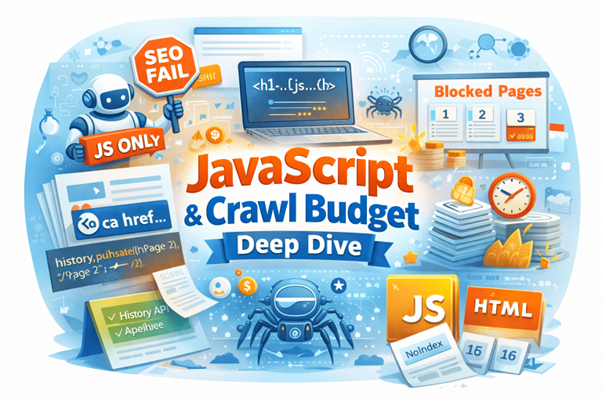
JavaScript makes websites interactive. It’s great for users but can create SEO issues for paginated content. If not handled properly, search engines may miss your pages. Let’s explore how to fix this.
Why JavaScript-Only Pagination Breaks SEO
- Some sites load paginated content only via JavaScript.
- If there are no HTML links (<a href>), search engines might not see these pages.
- Bots can struggle to render complex JavaScript.
- Users without JS may not access content.
Always provide crawlable links. Don’t rely only on buttons with onclick events.
Using History API / pushState with Pagination
The History API lets URLs change dynamically without a full page reload.
- When a user clicks “Next,” the URL updates.
- Google sees each page as unique.
- Works well with infinite scroll or “Load More” buttons.
Example:
// When loading page 2
history.pushState(null, “Page 2”, “/blog/page/2”);
- Combine with <a href> links to make sure bots can crawl pages even if JS doesn’t run.
Importance of <a href> Links
- Search engines follow HTML links.
- Avoid only using onclick buttons.
- Make sure every page has a standard URL link.
Good Example:
<a href=”/blog/page/2″>Next Page</a>
Bad Example:
<button onclick=”loadNextPage()”>Next</button>
HTML links help both SEO and accessibility.
Server-Side vs Client-Side Rendering
Server-Side Rendering (SSR):
- Content is built on the server before reaching the browser.
- Search engines see everything immediately.
- Best for SEO and crawl budget.
Client-Side Rendering (CSR):
- Content loads via JavaScript in the browser.
- Can block indexing if bots can’t render JS.
- Infinite scroll often uses CSR and needs careful handling.
Tip: Use SSR for important paginated pages, or combine CSR with crawlable links and pushState.
How Paginated URLs Consume Crawl Budget
- Search engines have a limited crawl budget.
- Every paginated page counts as a separate URL.
- Deep pagination can waste budget if pages have little or duplicate content.
Tips to optimize crawl budget:
- Limit indexable pages to top 10–15.
- Use noindex for low-value pages.
- Link important pages directly from main navigation.
Strategies for Deep Pagination
- Noindex deeper pages: Prevent crawling of low-value pages.
- Use rel=”next/prev” or self-canonicals: Clarify page sequences.
- Create summary pages: Aggregate content from multiple pages.
- Lazy load carefully: Make sure content is accessible via HTML links.
Log File Analysis for Paginated Page Crawling
- Check server logs to see which pages search engines crawl.
- Identify pages that are never visited.
- Adjust links, canonical tags, or noindex settings based on this data.
Steps:
- Export server log file.
- Filter paginated URLs (/page/2, /page/3, etc.).
- Count crawl hits per page.
- Decide whether to index, restructure, or noindex deeper pages.
Log file analysis is one of the most overlooked ways to optimize crawl efficiency.
Quick JavaScript & Crawl Budget Recap
Topic | Key Takeaways |
JS-only pagination | Avoid; bots may miss pages |
History API / pushState | Updates URLs without reload; helps bots see pages |
<a href> links | Must exist; don’t rely on onclick |
SSR vs CSR | SSR preferred; CSR needs fallback for SEO |
Crawl budget | Limit deep pages, noindex low-value content |
Log files | Check which pages bots actually crawl |
View All Page Strategy & Implementation
Many websites offer a “View All” page that displays all content from a paginated series on a single page. This approach can be helpful for SEO and user experience, but it has pros and cons. Let’s explore how and when to use it.
When to Use View All Pages vs. Self-Referencing Canonicals
- View All page:
- Best if paginated pages are thin or low on content.
- Helps consolidate ranking signals to a single page.
- Ideal when users want to see all content without clicking through pages.
- Self-referencing canonical:
- Best if each paginated page has substantial content.
- Allows all pages to be indexed individually.
- Recommended by Google as the default strategy.
Rule of thumb: If each page adds unique value, use self-referencing. If pages are mostly repetitive, a View All page may work better.
How to Implement View All Canonicals
When using a View All page, all paginated pages point to it with a canonical tag. This signals to search engines that the View All page is the preferred version.
Example Code:
<!– Page 1 –>
<link rel=”canonical” href=”https://example.com/blog/view-all” />
<!– Page 2 –>
<link rel=”canonical” href=”https://example.com/blog/view-all” />
<!– Page 3 –>
<link rel=”canonical” href=”https://example.com/blog/view-all” />
- The View All page itself should have a canonical pointing to itself.
- Ensure the page loads fast, as search engines and users will see all content here.
Performance Optimization Techniques
A View All page can become very long. Here are ways to make it fast and smooth:
- Lazy Loading: Load content as users scroll down.
- AJAX Loading: Load content dynamically without full page reload.
- Compress Images & Files: Reduce page weight to improve load times.
- Pagination Links as Fallback: Even with a View All page, keep paginated links accessible for bots.
Performance is crucial. A slow View All page can hurt both user experience and SEO rankings.
Trade-offs: UX Benefits vs. Performance Concerns
Benefit | Concern |
Users can see all content in one place | Large page size can slow loading |
Consolidates ranking signals | Harder to track analytics for individual sections |
Reduces click fatigue | May be overwhelming on mobile |
Helps AI and search engines parse content | Requires careful lazy loading or AJAX |
When NOT to Use View All Pages
- Very large content sets (hundreds or thousands of items)
- Pages with heavy media (images, videos) that can slow the page
- When individual pages need to rank for unique keywords
In these cases, stick to self-referencing canonicals and standard paginated pages.
XML Sitemap Treatment Differences
- View All Page: Include the View All URL in your sitemap.
- Paginated Pages: You may still include them if valuable, but consider prioritization or limiting deep pages.
- Helps search engines understand which version of the content is the main one.
Pagination and Content Indexing
Search engines crawl and index pages differently depending on how you paginate.
- Numbered pages: Each page is usually indexed separately
- Infinite scroll: Content may need additional setup to be indexed
- Load more: Requires pushState or proper URL updating
How Google Handles Pagination
Google treats each paginated page as a separate URL. So it’s important:
- Each page has enough content
- Pages aren’t just thin duplicates
- Users can reach content quickly
Pagination SEO Tips for E-Commerce Sites
E-commerce websites often have hundreds or even thousands of products. Proper pagination SEO is critical. Without it, search engines may not index your products, and users may struggle to find what they want. Let’s explore the best practices.
Faceted Navigation Deep Dive
Faceted navigation lets users filter products by size, color, price, brand, and more. While useful for customers, it can create SEO challenges if not handled carefully.
The Crawl Trap Problem
- Each combination of filters creates a new URL.
- Example: Size M + Red + Price Low → /shop?size=M&color=red&price=low
- Thousands of URLs can be generated with multiple filter options.
- Googlebot may waste crawl budget on low-value or duplicate pages.
Strategy: Which Filters to Index
- Index only pages that provide unique value, such as:
- Main category pages
- Popular filter combinations
- Use noindex for low-value combinations or duplicates.
- Helps prevent duplicate content issues and improves crawl efficiency.
Parameter Handling in Google Search Console
- Use the URL Parameters tool to tell Google which filters change the page meaningfully.
- Example:
- /shop?color=red → indexable
- /shop?sort=price_asc → can be ignored
- Keeps Google focused on the pages that matter most.
Dealing with Empty Result Pages
- Some filters may produce no results.
- Never serve a soft 404 (page says “No results” but returns 200 OK).
- Best practice:
- Serve a proper 404 or redirect to a relevant category.
- Prevents Google from wasting crawl budget on pages with no content.
Optimize Product Lists
- Display 15–20 products per page.
- Avoid empty or nearly empty pages at the end of pagination.
- Include pagination links that are crawlable by search engines.
- Use internal linking to individual products from paginated pages to improve discovery.
Canonical Tags for E-Commerce Pages
- Use self-referencing canonicals for category and filter pages that are unique.
- Avoid pointing all paginated pages to page 1 unless you have duplicates.
- Proper canonicals prevent duplicate content issues and help search engines understand page hierarchy.
Handling Sorting Parameters
- Sorting by price, date, popularity, or rating can generate additional URLs.
- Make sure sorting URLs are handled correctly:
- Index only if they provide unique, valuable content.
- Otherwise, use noindex or parameter handling in Search Console.
Schema Markup for Product Listings
- Use structured data (Product schema) for all products on paginated pages.
- Helps search engines understand product details, availability, and price.
- Even paginated pages should have correct schema to enhance rich results.
Trade-Offs: UX vs. SEO
Benefit | Challenge |
Faceted navigation improves user experience | Can create thousands of crawlable URLs |
Sorting options help product discovery | Risk of duplicate content and crawl waste |
Infinite scroll or load more feels modern | Must be implemented with crawlable links for SEO |
Pagination improves indexation | Requires proper canonicalization and schema |
Pagination SEO Tips for Blogs
Blogs often have hundreds of posts, making pagination necessary.
1. Keep Titles Clear
- Page 2 → “Blog – Page 2 | YourSiteName”
2. Unique Meta Descriptions
- Mention the type of content or category
- Example: “Read our latest tech insights on Page 3 of the blog.”
3. Include Related Posts
- Helps users move between content
- Reduces bounce rate
Technical SEO for Pagination
Proper technical setup ensures search engines can crawl your pages efficiently.
1. XML Sitemap
- Include paginated URLs in your sitemap
- Helps search engines discover pages
2. Robots.txt
- Don’t block paginated pages unless necessary
- Blocking can prevent indexing of important content
3. Page Load Speed
- Paginated pages should load fast
- Compress images and use lazy loading
4. Structured Data
- Use breadcrumbs structured data for better indexing
- Helps search engines understand site hierarchy
Pagination SEO Mistakes to Avoid
- No Indexing: Blocking all paginated pages from search engines.
- Duplicate Content: Copying the same content across pages.
- Broken Pagination Links: Pages 2, 3, or 4 return 404 errors.
- Overusing “View All”: Some sites hide paginated content behind a single “view all” page; make sure it’s not too heavy to load.
- Ignoring Mobile: Mobile users need smooth navigation. Infinite scroll can be good, but make it accessible.
Monitoring and Measuring Pagination SEO
You should track the performance of your paginated pages.
Tools to Use
- Google Search Console: Check index coverage and clicks
- Screaming Frog: Audit paginated URLs and tags
- Analytics (GA4): Monitor bounce rate and user flow
Metrics to Track
- Indexed pages
- Organic traffic per page
- Bounce rate
- Click-through rate (CTR)
Advanced Pagination SEO Tips
1. Use Canonical and Rel=Next/Prev Together
- Helps search engines understand sequence and prevent duplicate issues
2. Consider “Load More” with History API
- Update URLs with each click
- Makes content discoverable by search engines
3. Pagination with AMP Pages
- AMP has its own rules for paginated content
- Use amp-next-page component for smooth experience
4. Structured Data for Products or Articles
- Add schema markup for articles or products
- Include each page in the same category
AI Search & Answer Engine Optimization (AEO)
In 2026, AI-powered search engines like Google’s AI Overviews, ChatGPT, and Perplexity are changing how content is discovered and cited. Pagination plays a big role here. If done poorly, AI can struggle to understand your content.
How AI Struggles with Paginated Content
- AI systems read web pages to generate summaries or answers.
- Fragmented content spread across many pages is harder for AI to parse.
- For example, if a blog post or product guide is split into 10 pages, AI might only see page 1 and miss important details on later pages.
Use Semantic Signals and Schema Markup
- Each paginated page should include clear semantic tags.
- Use schema markup for articles, products, or lists.
- This helps AI understand relationships between pages and content hierarchy.
Create Summary or Aggregation Pages
- Consider adding a “summary” page that aggregates key content from all paginated pages.
- AI can read this page easily and provide accurate answers.
- Example: A blog series could have a “Complete Guide” page linking to all parts.
Ensure Metadata Richness Across Pages
- Titles, meta descriptions, headings, and structured data should be present on every paginated page.
- Don’t focus only on page 1. AI looks at all pages to decide relevance and context.
Effect on AI Citations and Answers
- Large language models (LLMs) may reference your content when generating answers.
- Properly optimized paginated pages improve the chance your content is cited correctly.
- Rich metadata, semantic structure, and summaries help AI provide accurate, trustworthy answers.
Think of it this way: AI is like a friend skimming your content. If you scatter your story across many tiny pages, your friend might miss the good parts. Make it easy for them to see the whole picture.
Summary Table of Pagination SEO Best Practices
Practice | Why It Matters | Notes |
Numbered Pagination | Clear for users & SEO | Avoid infinite loops |
Canonical Tags | Prevent duplicate content | Each page points to itself |
Next/Prev Tags | Shows sequence | Helpful for other search engines |
Unique Titles & Meta | Improves CTR | Include page numbers |
Internal Links | Helps crawling | Use breadcrumbs & nav links |
Monitor Analytics | Measure success | Track indexed pages & traffic |
Conclusion
Pagination is more than just splitting content. It improves user experience, helps search engines crawl your site, and boosts your pagination SEO.
Always use clear numbering, proper canonical and next/prev tags, unique meta tags, and internal links. Avoid duplicate content, broken links, or thin pages. Monitor performance regularly using tools like Google Search Console and analytics.
With the right setup, pagination can make your site easier to navigate and rank better in search results. Treat each paginated page as important, optimize it carefully, and your users and search engines will thank you.